Character Design Studio: Style Creator

Character Design Studio: Style Creator

Customization Fashion Hairstyle
RATING
Developer: Krakenpeak Labs
Published: 2025-04-03
Updated: 2026-07-04

Reviews

Character Design Studio: Style Creator is a free, easy-to-use tool for designing custom digital characters. The drag-and-drop interface makes customization simple, and the randomizer feature provides fun inspiration. With a wide variety of hairstyles, accessories, and facial features, you can create a unique look for any online profile. The ability to save high-quality images directly to your device is a great bonus. It is a stress-free and enjoyable creative experience.

Description

Game Introduction

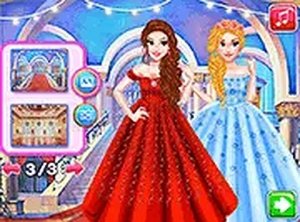
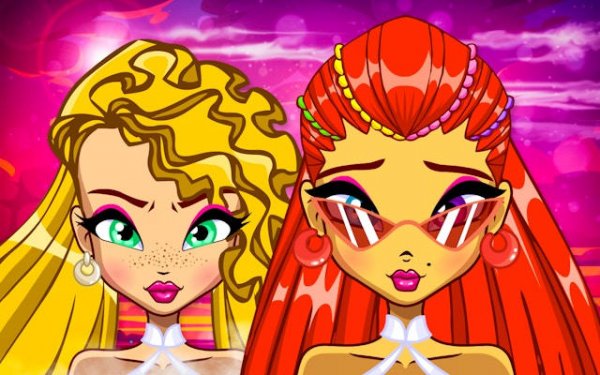
Character Design Studio: Style Creator is a free online tool that allows you to design a custom digital character. Whether you need a new profile picture for social media or a unique persona for online interactions, this character builder offers a wide range of customization options. You can adjust facial features such as eye shape, skin tone, and lip style to create a look that reflects your personal taste. The tool provides many hairstyles, colors, and accessories like hats and glasses. Its intuitive interface makes it accessible for anyone to create a personalized avatar without any special skills. The experience is creative and relaxing, with no downloads required. You can start designing immediately and enjoy a satisfying creative process.

How to Play

Getting started with Character Design Studio: Style Creator is straightforward. Players begin with a basic character model and then use the menus to explore categories such as Face, Hair, and Accessories. You can click and drag to mix and match different options until you find a combination you like. For a surprise, use the randomizer button to instantly generate a unique character from random settings. Once you are satisfied with your creation, you can save the image to your device. The saved image can then be used for social media profiles, forums, or other online accounts. The process is quick and fun, requiring no prior experience.

Game Features

The tool includes customizable facial features such as eyes, nose, and lips. It offers an extensive selection of hairstyles and colors, along with unique accessories like hats, glasses, and jewelry. The user-friendly drag-and-drop interface makes designing easy. A randomizer function provides instant inspiration for new looks. High-quality image export allows you to use your avatar on various online platforms.

Tips for Success

This tool provides a relaxing creative experience without pressure. The simple controls allow you to experiment freely. You can create multiple avatars quickly and share them across your online profiles. Enjoy the process of exploring different combinations to find the style that best represents you.
Compatibility

This H5 game runs smoothly on:
• Desktop computers (Windows / Mac) • Mobile phones (iPhone / Android)
• Tablets (iPad / Android)
🌐 Best experienced with Chrome, Safari, or Edge
Faq
Can I use my created avatar for commercial purposes?
The tool is designed for personal use, such as profile pictures and online personas. For commercial use, check the terms of service on the website. Generally, images created with this tool can be used freely, but redistribution of the tool itself is not allowed.
Is there a limit to how many avatars I can create?
No, there is no limit. You can create as many avatars as you like. Each design session starts fresh, so you can experiment with different looks and save multiple versions to your device. The tool is free and does not require an account.
What file format are the saved images?
The tool typically saves images in standard formats like PNG or JPEG. These formats are widely supported and can be uploaded to most social media platforms, forums, and websites. The exact format may vary depending on the browser or device you are using.
Do I need to create an account to use this tool?
No account is required. The tool is accessible directly in your web browser. You can start designing immediately without any registration or login. This makes it convenient for quick use and ensures your privacy.
Can I customize the body shape or height of my character?
The tool focuses on facial features, hairstyles, and accessories. Body customization is not a primary feature. However, some similar tools may offer limited body options. For this specific tool, the emphasis is on creating a distinctive face and style.
Is this tool available on mobile devices?
The tool is web-based and should work on most modern mobile browsers. However, the interface is optimized for desktop or tablet use. On smaller screens, some menus may be less convenient. For the best experience, use a device with a larger screen.
Advertisement