Cat Evolution Parkour Arcade

Cat Evolution Parkour Arcade

Arcade
RATING
Developer: Warlock Shift Studio
Published: 2025-02-10
Updated: 2026-06-10

Reviews

Cat Evolution Parkour Game provides a smooth and addictive arcade experience. The evolution system adds a clear goal, and the upgrade shop encourages replayability. Each run feels fresh due to the increasing difficulty and variety of obstacles. It is a safe, family-friendly game that rewards skill and patience without any inappropriate content.

Description

Game Introduction

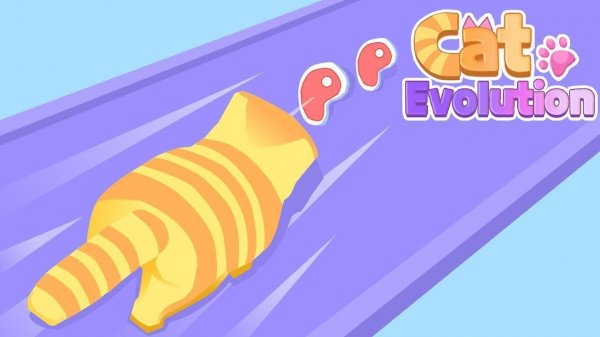
Cat Evolution Parkour Game is a vibrant arcade runner where players guide a small cat through colorful courses. The goal is to collect meat pieces to evolve from a feline into a mighty tiger. Each run challenges you to jump over gaps and slide under barriers while avoiding green vegetables that reverse progress. Shiny diamonds serve as currency for permanent upgrades between runs, such as increased speed or higher jumps. The cartoon-style graphics and cheerful soundtrack create a safe and engaging environment for all ages. This game combines fast-paced action with a satisfying progression system, making every attempt a step toward becoming the ultimate creature.

How to Play

To play Cat Evolution Parkour Game, use simple tap or swipe controls to make your cat run, jump, and slide. Tap to jump over gaps and swipe down to slide under barriers. Your main objective is to collect pieces of meat scattered along the course. Each piece brings you closer to the next evolution. Avoid green vegetables because touching them temporarily reverses your progress. Grab shiny diamonds to earn currency for permanent upgrades between runs. You can spend diamonds to improve your cat's speed, jump height, or starting evolution level. Master the timing of your moves to navigate increasingly complex courses and reach the final evolution.

Game Features

Engaging parkour gameplay with jumps and slides. Fun evolution system from cat to tiger. Family-friendly cartoon graphics and soundtrack. Upgradeable abilities using collected diamonds. Simple one-touch controls for easy learning.

Tips for Success

Cat Evolution Parkour Game offers a wholesome challenge about growth and perseverance. It is a top choice for a quick, fun, and positive gaming break.

Compatibility


💻 Desktop | 📱 Mobile | 📟 Tablet – All supported · Best with Chrome or Safari

Faq
Is Cat Evolution Parkour Game free to play?
The game is typically free to download and play, with optional in-app purchases for cosmetic items or boosters. This is common for arcade games of this type. Always check the app store listing for specific pricing details before downloading.
What devices can I play this game on?
Cat Evolution Parkour Game is usually available on both iOS and Android mobile devices. Some versions may also be playable on tablets. For the best experience, ensure your device meets the minimum system requirements listed on the app store.
Does the game require an internet connection?
Many arcade runners like this can be played offline after the initial download. However, features like cloud saves or leaderboards may require an internet connection. Check the game's settings or description for specific connectivity requirements.
Are there different environments or themes in the game?
While not confirmed, many parkour games include varied environments such as cityscapes, forests, or magical lands. The game's colorful courses may change as you progress, offering visual variety. This is a common feature in endless runners and arcade games.
Can I play with friends or compete against others?
The game may include leaderboards where you can compare your high scores with friends or global players. Some arcade games also offer daily challenges or events. However, real-time multiplayer is not typically a feature of this genre unless specified.
How do I restore my progress if I switch devices?
To restore progress, you usually need to log in with the same account (such as Google Play or Game Center) on your new device. Cloud save functionality may be available. If not, contact the developer's support team for assistance with transferring data.
Advertisement