Course Structure & Difficulty
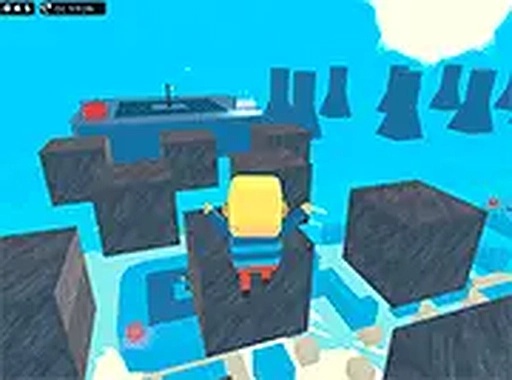
Platform Leap Challenge organizes its levels into four distinct groups that form a natural learning curve. Beginners start with straightforward layouts that teach basic movement and jumping. As players advance, courses introduce moving surfaces, tighter gaps, and more complex sequences. This structure allows anyone to build competence step by step, rather than facing sudden difficulty spikes. The final group demands sustained concentration and quick reactions, offering a satisfying test for those who have mastered earlier stages.
Controls & Feedback
Movement relies on standard keyboard inputs: arrow keys or WASD for direction, and the spacebar for jumps. The game provides clear visual cues when a character lands successfully or misses a platform, helping players understand exactly what went wrong. This immediate feedback loop encourages experimentation and adjustment. Because the controls are simple, the focus stays on timing and spatial awareness rather than complex button combinations.
Visual Design & Atmosphere
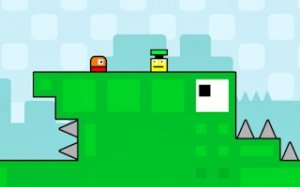
The courses feature bright, varied color schemes that make each level feel distinct. Platforms and obstacles stand out clearly against backgrounds, reducing visual confusion. The cheerful aesthetic keeps the experience lighthearted even when levels become demanding. Full screen mode is available for those who want a more immersive view, though the game works well in a standard browser window too.
Accessibility & Progression
No downloads or installations are required; the game runs directly in a browser on most computers. This makes it easy to start playing immediately or return for short sessions. The gradual difficulty increase means that players of different skill levels can find appropriate challenges. Repeating earlier levels remains useful for refining technique, as consistent practice directly translates to better performance on harder courses.



Player Comments
0 comments